

For founders building with AI
Built fast.
Look polished.
Your app works. But on a phone, the text is faint, the spacing feels off, and the signup button gets lost.
Xpensiv checks your app and gives your coding tool specific fixes for the details that make it look cheap.
Sign up and check my appYou review the findings. Your tool makes the edits.
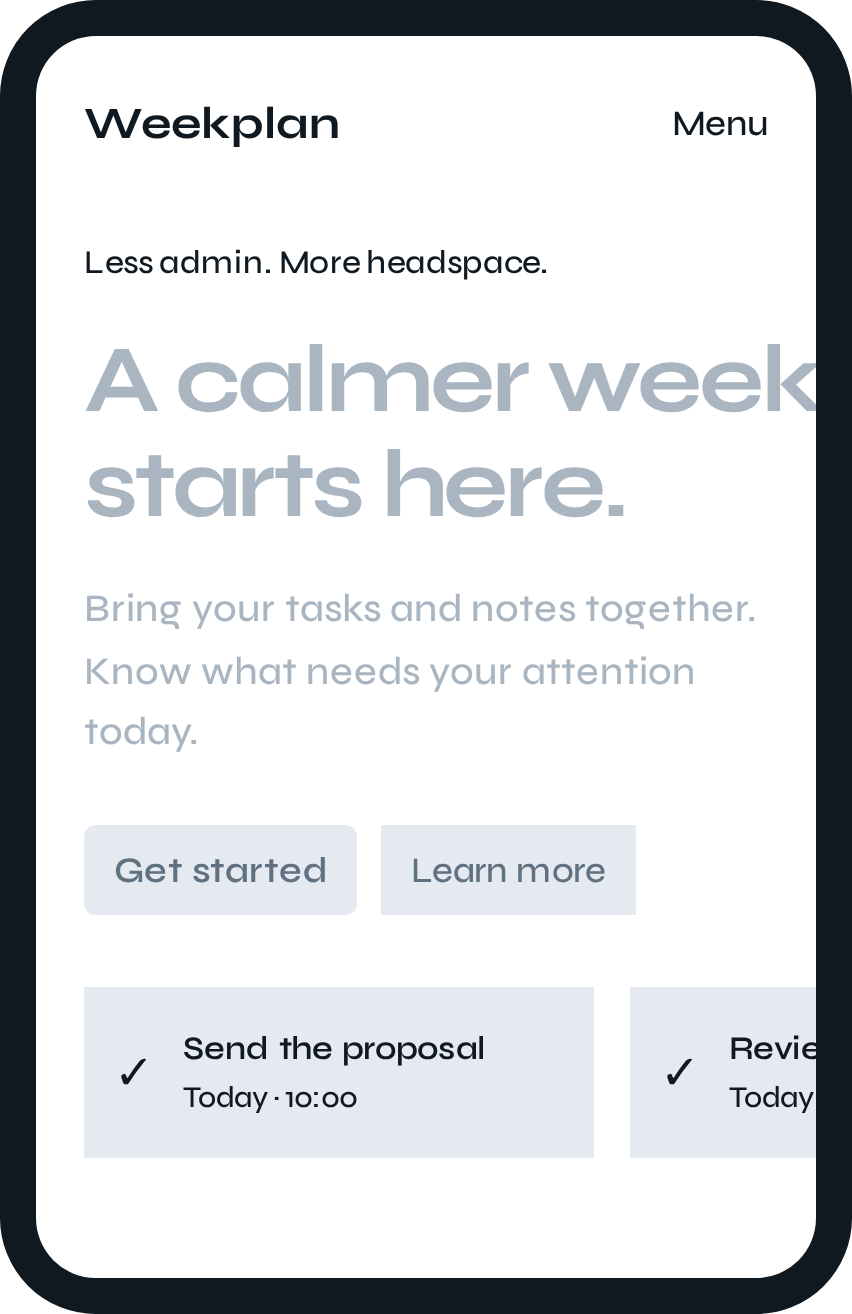
Faint text. Clipped cards. Vague CTA.
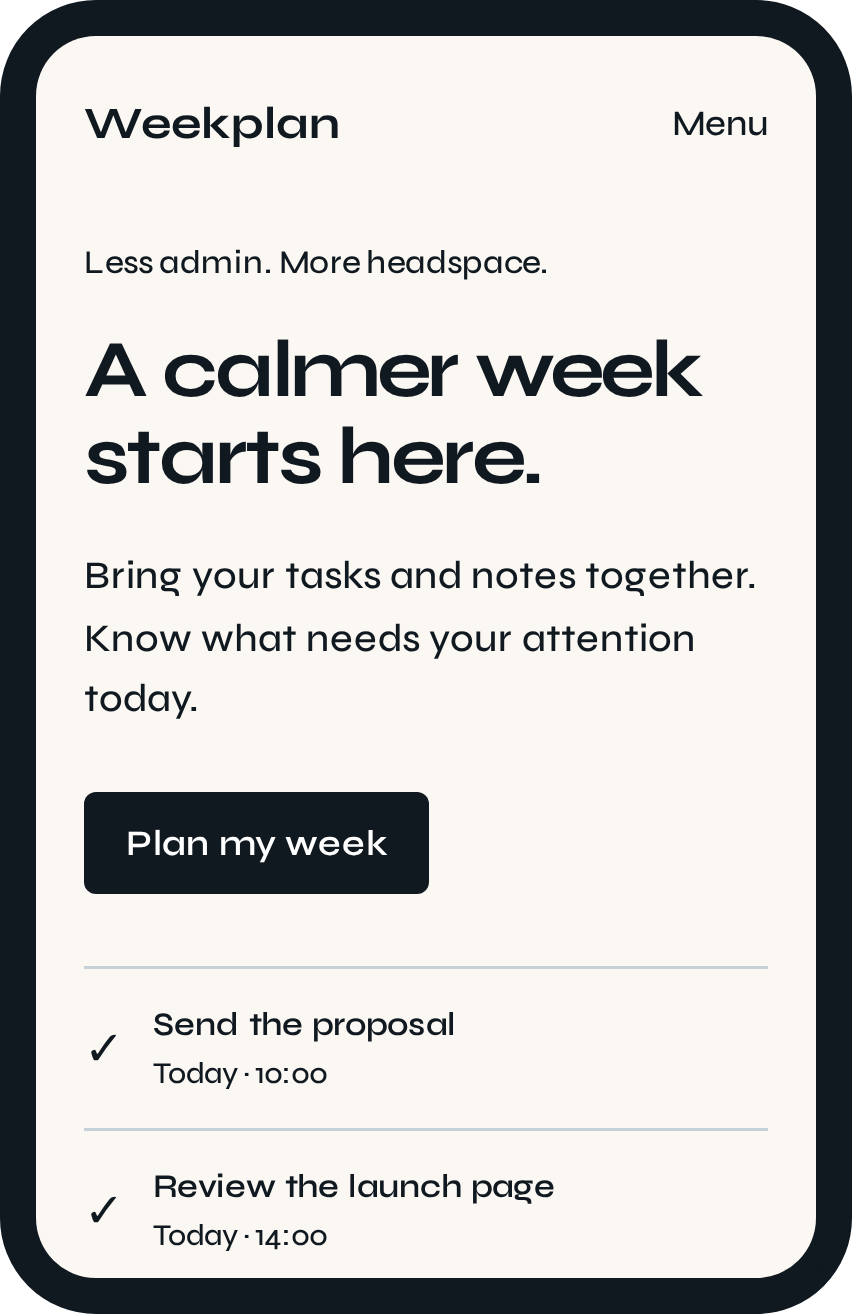
Readable. Fits. Clear next step.
Illustrative example, same app content. Your results depend on your site and the fixes you apply.
The phone check you skipped
Fix the first
impression.
- Text people can read
- Raise contrast and set a readable type size. Keep the headline from swallowing the whole screen.
- A layout that fits
- Stop cards spilling past the edge. Give content room without making visitors scroll through empty space.
- One clear next step
- Give your main action a specific label and a tap target a thumb can reach.
Built with Lovable, Bolt, v0, Cursor or Claude Code?
Keep building
in your tool.
You already have a working app. Give the tool that built it a concrete fix list, then check the result again.
Read the MCP docsSign up. Bring your link.
Create an account and check your public app URL. Xpensiv reviews phone and desktop views and returns findings with screenshots.
Connect your coding tool.
In Cursor or Claude Code, add Xpensiv as a remote HTTP MCP server and authenticate when prompted.
https://mcp.xpensiv.siIn Lovable, use a custom MCP connector if your workspace supports it. You can also paste a finding’s fix prompt into Lovable, Bolt or v0.
Fix, review, check again.
Ask your tool to run check_app on your URL, then use get_check to read the findings. Approve the edits in your tool and recheck the updated preview.
Open it on your phone.
If it still looks like a first draft, start with a fix list.